Project Management Tools: Strategic vs. Basic Approaches
Project Management (PM) has evolved far beyond simple task lists and Gantt charts. Today, professionals can choose from a wide spectrum of tools — ranging from lightweight task managers to sophisticated platforms that align projects with organizational strategy. Understanding the difference between Strategic PM tools and Basic PM tools helps teams select the right approach for their needs.
The Core Problem: Task Management ≠ Project Management
Most modern tools are glorified to-do lists with a Kanban skin. They’re great for visualizing workflows, assigning tasks, and checking boxes — but that’s not project management. Real PM involves:
Strategic planning and scope control
Resource allocation and capacity forecasting
Risk management and mitigation
Budget tracking and cost control
Dependencies, baselines, and earned value analysis
Trello can’t do that. Neither can Asana. And Monday? It’s more dashboard than discipline.
The Cost Trap: Paying for Pretty Interfaces
These tools lure teams with slick UIs and “collaboration” features, but once you scale, you hit paywalls — and still lack core PM functionality. You’re paying for:
Custom colors and branding
Gantt charts that are just timelines
Integrations that patch missing features
AI assistants that summarize your to-do list
Meanwhile, free alternatives like ClickUp (free tier), Notion, or even Excel with templates can do the same — or better — without draining your budget.
What Strategic PMOs Actually Need
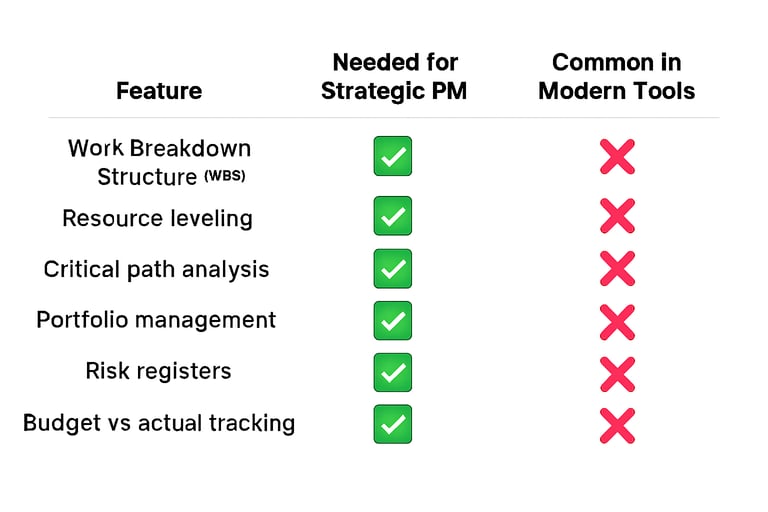
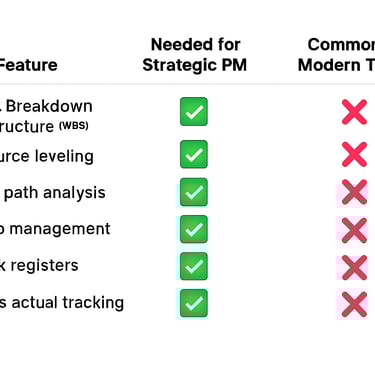
If you’re serious about managing enterprise-level projects, look for tools that offer:
Tools like MS Project, Primavera P6, Planview, cplace or even open-source options like ProjectLibre are built for this. If you’re paying, pay for power — not polish.
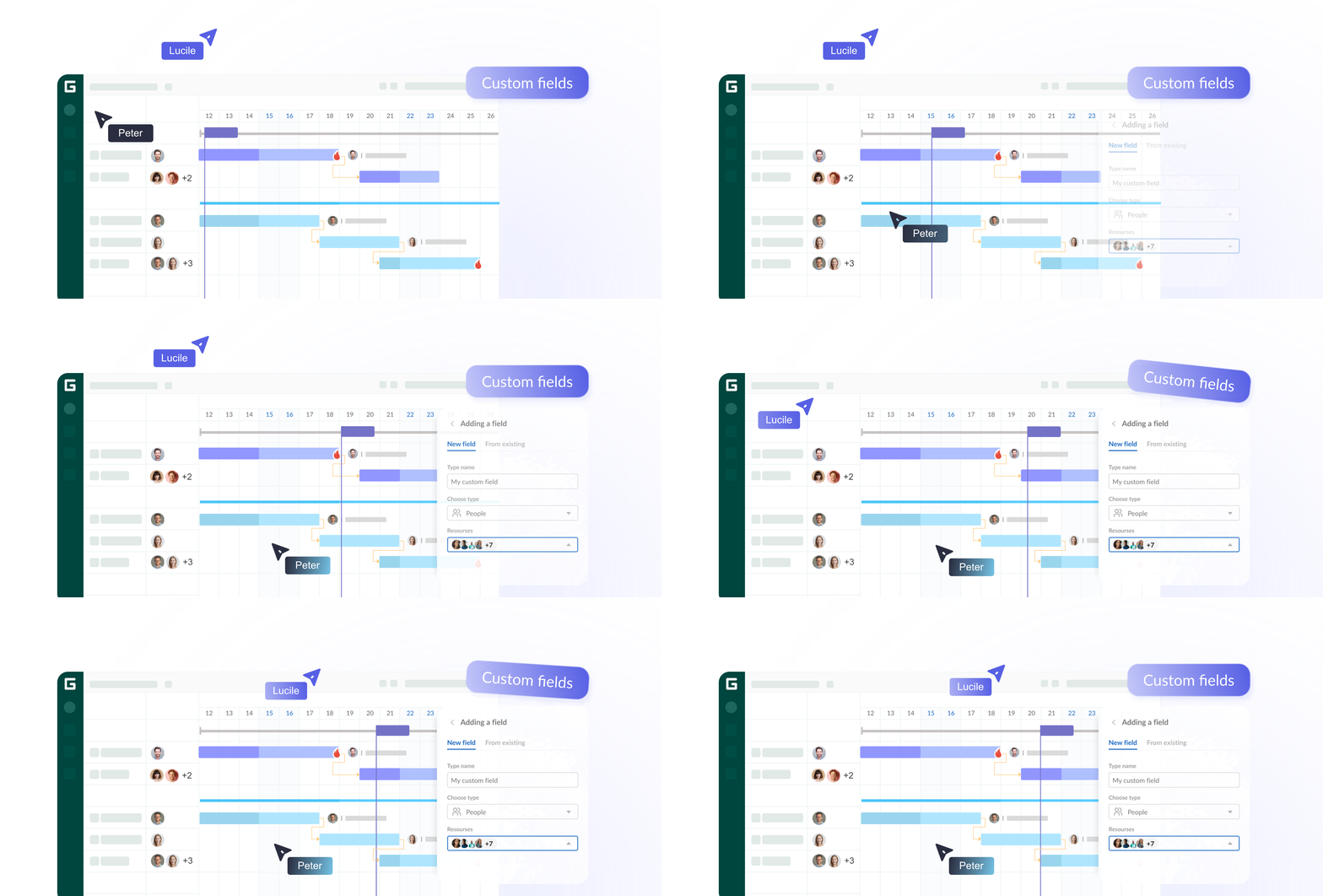
GANTTPRO
If you’re searching for the best project management software for Gantt charts, GanttPRO deserves a place in your toolkit. It helps teams deliver projects on time, stay within budget, and collaborate seamlessly — all in one intuitive platform. Why pick it up... It has everything you need, more important is that it does it with a very simple approach.
Key Features of GanttPRO
Intuitive Gantt Charts: Plan, schedule, and visualize tasks with drag-and-drop simplicity. Dependencies and milestones are easy to set, ensuring projects stay on track.
Collaboration Made Easy: Real-time updates, notifications, and comments keep everyone aligned without endless email chains.
Time & Resource Management: Track time spent on tasks, allocate resources efficiently, and balance workloads across teams.
Budget Oversight: Monitor costs, income, and expenses directly within the platform, helping businesses stay financially healthy.
Portfolio Management: Manage multiple projects simultaneously with a big-picture view, making it ideal for organizations juggling several initiative
Unlike complex project management platforms, GanttPRO combines simplicity with powerful features. Beginners appreciate its clean interface, while professionals rely on advanced options like workload management and integrations with Slack, Google Drive, and Salesforce.
Thousands of reviews on G2 and Capterra highlight GanttPRO’s reliability, making it a trusted choice for startups, agencies, and enterprises alike. They are actively working on integrations with other usefull PM tools and currently the integration with MS Team, some Atlassian tools and Google is already done!


Wrike vs. Trello: Choosing the Best Kanban Tool for Project Management
Kanban has become one of the most popular project management methods thanks to its simplicity and visual clarity. By organizing tasks into boards and cards, teams can easily track progress, spot bottlenecks, and stay aligned. But with so many tools available, which Kanban platform should you choose?
Two standout options dominate the market: Trello and Wrike. While both use Kanban boards at their core, they serve very different audiences. Let’s explore their strengths and help you decide which one fits your workflow best.
Trello: The Gateway to Kanban
Trello is beloved for its simplicity. It’s the perfect entry point for individuals, startups, and small teams who want to get organized without a steep learning curve.
Key Benefits:
Intuitive drag-and-drop boards and cards.
Flexible customization with “Power-Ups” (integrations like Slack, Google Drive, and automation tools).
Generous free tier for individuals and small teams.
Ideal for creative workflows like content calendars, event planning, or personal productivity.
Limitations:
Reporting and analytics are minimal without add-ons.
Scaling to complex, multi-team projects can be challenging.
Trello is best described as the “gateway Kanban tool” — simple, visual, and perfect for beginners.
Wrike: Enterprise-Grade Power
Wrike takes Kanban to the next level. Designed for enterprises and large teams, it combines Kanban boards with advanced project management features.
Key Benefits:
Robust templates for marketing, IT, and product development.
Advanced reporting and analytics built-in.
Integrations with 400+ apps (Salesforce, Slack, Google Workspace, and more).
Customizable dashboards and workflows for different departments.
Limitations:
Can feel overwhelming for small teams due to its complexity.
Higher pricing compared to Trello, especially for advanced features.
Wrike is the “enterprise-grade Kanban solution” — powerful, scalable, and built for complex projects.
If you’re just starting out or managing small projects, Trello is the perfect choice. It’s simple, visual, and easy to adopt. But if you’re running complex, multi-department projects and need advanced analytics, Wrike is the tool that scales with you.
Ultimately, the best Kanban tool depends on your team size and project complexity. Trello offers accessibility, while Wrike delivers enterprise power — together, they represent the two ends of the Kanban spectrum.
COntact
info@theprojectsphere.com
© 2025. All rights reserved.